Easy Duplicate Finder 7 Mac7.20.0.38
Publisher Description
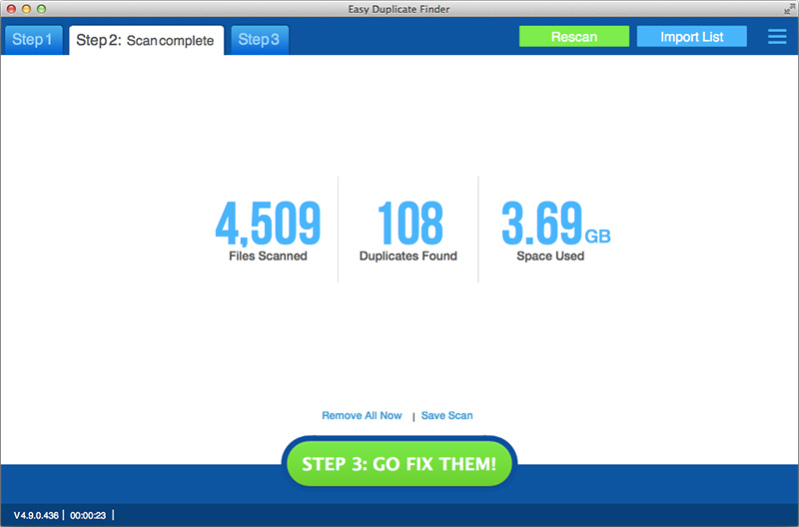
Easy Duplicate Finder is an award-winning program that will help you find and delete all sorts of duplicate files in just a few clicks. Thanks to its advanced algorithms and flexible file management options, Easy Duplicate Finder offers unmatched accuracy and ease of use.
Easy Duplicate Finder has an intuitive interface that lets you delete duplicates in a simple three-step process: add folders, run a scan, delete duplicate files. You can choose to delete all duplicates automatically, or you can inspect the scan results before you delete, move or rename the duplicates.
Easy Duplicate Finder uses advanced file comparison algorithms that detect all the duplicate files on your PC and guarantee 100% accurate results. The program has lots of file management tools that make it easy for you to quickly delete the duplicates you don't need. You can sort results by file type and preview all detected files including pictures, videos, songs and documents. Power users can create file search masks and use advanced context menu options to manage their files in the most effective way.
With the help of Easy Duplicate Finder you can find and manage duplicate documents, photos, videos, emails and even delete the duplicates from your iTunes and Windows Media libraries.
About Easy Duplicate Finder 7 Mac
This System Maintenance program is available in English, Chinese, French, German, Italian, Japanese, Portuguese, Russian, Spanish, Turkish, Ukrainian. It was last updated on 29 September, 2026. Easy Duplicate Finder 7 Mac is compatible with the following operating systems: Mac.
The company that develops Easy Duplicate Finder 7 Mac is WebMinds, Inc.. The latest version released by its developer is 7.20.0.38. This version was rated by 5 users of our site and has an average rating of 3.4.
The download we have available for Easy Duplicate Finder 7 Mac has a file size of 43.0 MB. Just click the green Download button above to start the downloading process. The program is listed on our website since 2022-08-29 and was downloaded 196 times. We have already checked if the download link is safe, however for your own protection we recommend that you scan the downloaded software with your antivirus. Your antivirus may detect the Easy Duplicate Finder 7 Mac as malware if the download link is broken.
How to install Easy Duplicate Finder 7 Mac on your Windows device:
- Click on the Download button on our website. This will start the download from the website of the developer.
- Once the Easy Duplicate Finder 7 Mac is downloaded click on it to start the setup process (assuming you are on a desktop computer).
- When the installation is finished you should be able to see and run the program.
Program Details
General
System requirements
Download information
Pricing
Version History
version 7.20.0.38
posted on 2022-08-29
UI improvements; bug fixes
version 5.28.0.1100
posted on 2019-12-12
Improved overall application performance; improved support for the latest version of MS Outlook for Mac; UI and UX improvements; bug fixes
version 5.27.0.1083
posted on 2019-10-14
Multiple Outlook for Mac improvements and fixes; improved bulk data processing in Google Drive; UX enhancements; performance improvements; bug fixes
version 5.26.0.1075
posted on 2019-09-19
Added the option to add multiple folders to the scan; updated the Scan Modes menu; UI and UX enhancements; performance improvements; bug fixes
version 5.25.0.1073
posted on 2019-08-21
Added a new duplicate selection option: keep files of a certain file type in each duplicate group; improved email scan; UI and UX enhancements; updated translations; performance improvements; bug fixes
version 5.24.0.1069
posted on 2019-07-10
Usability enhancements; added an option to include file size in iTunes Scan; reworked scan options layout; improved Mac OS X compatibility; performance improvements; bug fixes
version 5.29.0.1108
posted on 2019-06-09
Improved Music Scan; support for APE format; improved compatibility; UI and UX improvements; improved support for the latest version of MS Outlook for Mac; UI and UX improvements; bug fixes
version 5.23.0.1068
posted on 2019-06-04
Optimized and improved iTunes and Music scan modes; enhanced Google Drive Scan; improved Mac OS X compatibility; performance improvements; bug fixes
version 5.22.0.1058
posted on 2019-04-22
Optimized and improved Music Scan; added FLAC support to the Audio Fingerprinting mode; improved Outlook for Mac support; bug fixes
version 5.21.0.1054
posted on 2019-03-21
Improved Music Scan; added an admin mode indicator; added audio fingerprint support to the portable version; performance enhancements; UI improvements; bug fixes
